Analyze with AI
Get AI-powered insights from this Mad Devs article:
In this article, I will show you an example of how can you speedup development with code generation scripting.
How can you speed up development with scripted code generation?
For code generation, I usually use Python or Ruby as these languages have a lot of libs for the generation of boilerplate code. And also these languages are first-class citizenship on macOS.
Real-life example: I had a lot of color themes in an application and a lot of colors, my designer changed colors once every month and added a new theme once a year.
Information was provided in JSON format:
I had theme name and color type name with HEX code of color for light and dark modes.
So how should I convert this into the code?
In common situation you can transform hex into UIColor like that:
But it is really uncomfortable to use colors in this way. I prefer color literal because can see the color:

Yeah, it is much better. Let’s do it this way.
First of all, we should create a swift file where our colors will be — “AppColors.generated.swift”.
After that, as we are using Ruby we should prepare a project for using Ruby.
- Make sure Ruby and Gem are installed;
- Call the
bundle installcommand in the project’s iOS root folder — it will install the required gems; Liquidis one of the required gems — we will use it for creating templates.
Also, we should have raw resources for colors — JSON with colors. Let’s name it “ios_colors.json”.
The liquid is very useful for preparing templates. Example of our template “ColorsTemplate.liquid”:
Now the most interesting process — writing script. I will just leave code on Ruby:
Ok, usually I save all scripts in the root directory as it is easy to use them. Name of our script file “convertColorsToStatic.rb”.
Let’s call in the terminal:
ruby convertColorsToStatic.rb
Voila:
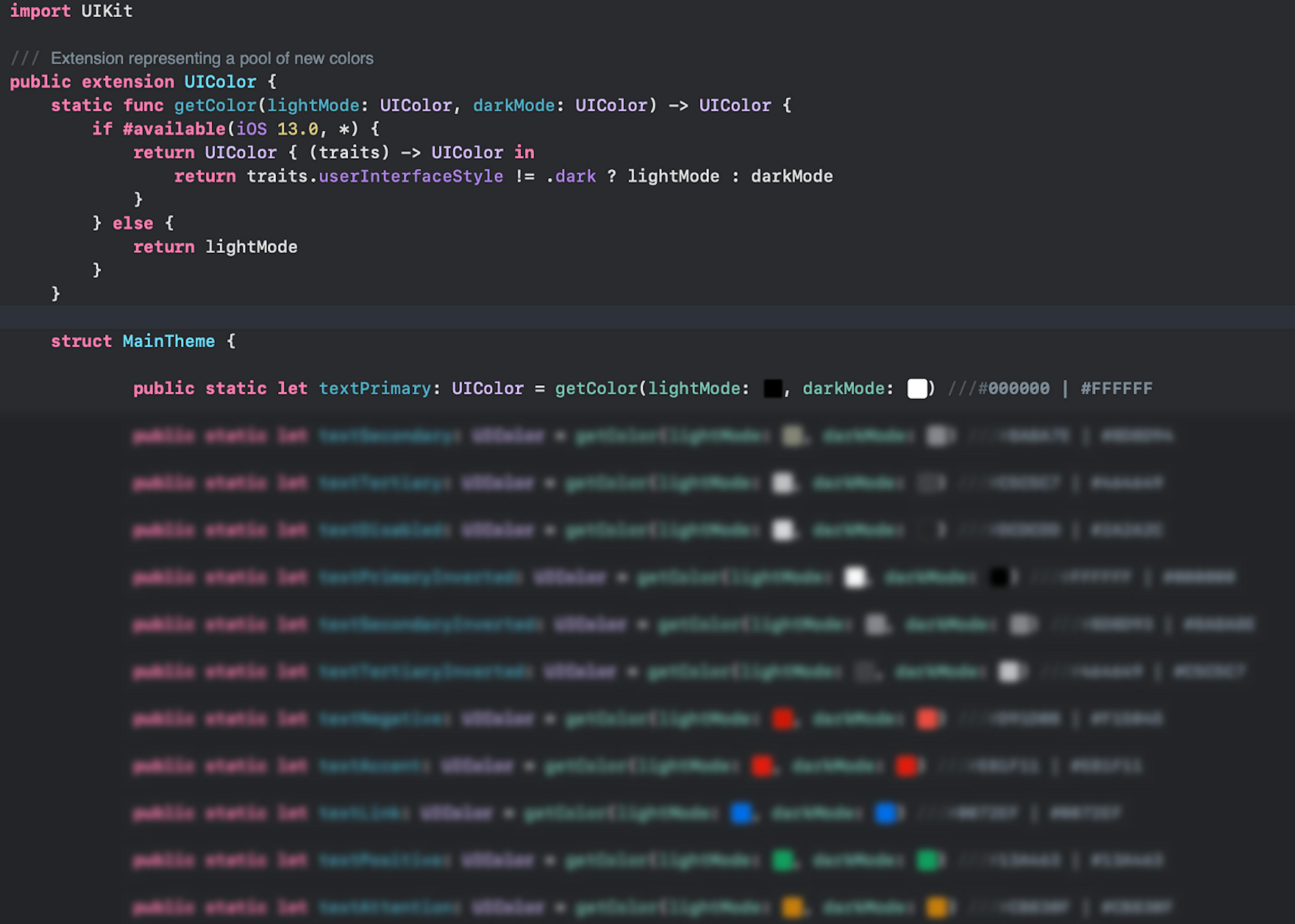
Also I’m using scripts for creating events, feature toggles, strings, architecture components (for example, VIPER) and it saves me ton of time.

Latest articles here